

Chapter 11: What Actually Makes a Hardware Wallet Secure
Looking Beyond the Device and Into the Security Behind It
Manuscript Date: 1 September 2026
Published: 29 September 2026
Updated: 29 September 2026
Greetings, beautiful people. 😊☕
When comparing hardware wallets, it is easy to focus on the things we can immediately see.
A larger screen.
A higher price.
A touchscreen.
Bluetooth connectivity.
A rechargeable battery.
More storage.
More features.
And, naturally, the question:
“Which one is the most secure?”
In the previous article, we compared the current Ledger hardware wallet range and explored why there is no single device that is automatically the best choice for everyone.
More features do not automatically mean more security.
A higher price does not automatically mean better value.
And a simpler device is not automatically an inferior device.
But that naturally leads to the next question:
If more features and a higher price do not automatically mean greater security, then what actually makes a hardware wallet secure?
That is the question we will explore here.
The answer is more interesting than simply looking at a specification sheet.
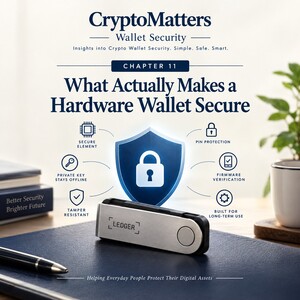 A hardware wallet’s security is not created by one impressive feature. It is built from multiple layers working together:
How private keys are protected
How the device is secured
How transactions are approved
How transaction information is verified
How the recovery phrase is protected
How trusted software is used
How carefully the owner behaves
In other words, hardware-wallet security is not simply about buying a device and placing it on a desk.
It is a relationship between:
Security technology + verification + good habits + responsible user behaviour.
And, as we will discover, even the most sophisticated hardware wallet cannot protect a secret that its owner voluntarily gives away.
#H2> 🔐 What Does a Hardware Wallet Actually Protect?
Before discussing Secure Elements, PINs, transaction verification and other security features, we need to understand what a hardware wallet is actually designed to protect. This is important because the cryptocurrency itself is not physically stored inside the hardware wallet.
Your Bitcoin, Ether or other crypto assets remain recorded on their respective blockchains. The hardware wallet does not contain a little pile of digital coins sitting inside it. Instead, the hardware wallet is primarily designed to protect the private keys that allow you to control assets associated with blockchain addresses.
A simple way to think about the relationship is:
The blockchain records the ownership and transaction history.
The private key provides the authority to control assets associated with a blockchain address.
The hardware wallet helps protect the private keys and allows the owner to approve transactions.
The recovery phrase provides the critical backup from which the wallet can be restored.
This distinction matters. A hardware wallet can be
lost,
damaged
or replaced.
The blockchain continues to exist. The critical question is whether the wallet can be restored using the properly protected recovery information.
💡 Key insight:
The physical device is replaceable. The private-key access and recovery information are what require serious protection.
This is one reason why the security of a hardware wallet cannot be judged simply by looking at its physical appearance.
A beautiful screen may improve the experience.
A convenient connection may make the device easier to use.
A compact design may make it easier to carry.
But the deeper security question is:
How well are the private keys protected, and how carefully does the user control the information that can restore access to them?
#H2> 🔑 Why Are Private Keys So Important?
A private key is a cryptographic secret that can be used to authorise transactions from a blockchain address. For beginners, the easiest way to understand this is to think of the private key as part of the authority that allows you to control your digital assets.
If someone gains access to the relevant private key, they may be able to authorise transactions involving the assets controlled by that key. That is why private keys must be protected.
They are not like an ordinary password that can simply be reset by clicking:
“Forgot password?”
There is no central customer-service desk that can simply issue you a new private key and reverse an unauthorised blockchain transaction. This is one of the important differences between self-custody and traditional online accounts.
With self-custody comes greater control. But greater control also comes with greater responsibility.
How Does a Hardware Wallet Help Protect Private Keys?
A hardware wallet is designed so that private keys are intended to remain protected within the device’s security environment rather than being casually exposed to the connected computer or smartphone. The computer or smartphone may provide the interface through which the user:
Views account information
Prepares a transaction
Selects a recipient
Enters an amount
Interacts with wallet software
The hardware wallet, however, performs important security-related functions involving the private keys. The general principle is that the private keys should not simply be exposed to the connected computer as ordinary readable information.
This creates an important separation between:
The device used to interact with the blockchain
and
The device designed to protect the private keys used to authorise transactions.
However, this does not mean that all security risks disappear. A hardware wallet does not automatically protect a user from:
Phishing websites
Fake applications
Social engineering
Fake support agents
Malicious instructions
Incorrect transaction details
Sending assets to the wrong address
The hardware wallet can help protect the private keys. But the user still needs to make careful decisions about what is being approved. This distinction is fundamental.
#H2> 🛡️ What Is a Secure Element?
A Secure Element is a specialised security-focused hardware component designed to help protect sensitive information and perform security-related operations.
In simple terms, it is a component within a device’s security architecture that is designed with security as a major priority.
A Secure Element can help support functions such as:
Protecting sensitive information
Supporting secure cryptographic operations
Helping resist certain forms of physical attack
Supporting device security and authentication
The exact architecture and implementation may differ between devices and manufacturers.
But the important beginner-level concept is this:
A Secure Element is one part of a hardware wallet’s security architecture. It is not a magical force field.
A Secure Element does not mean:
❌ The device is impossible to hack.
❌ The owner can ignore phishing.
❌ The recovery phrase can be shared safely.
❌ Every transaction is automatically safe.
❌ The user no longer needs to verify anything.
Security is layered.
The Secure Element may be an important layer, but it is only one part of the overall security system.
Is the Secure Element the Only Thing That Makes a Hardware Wallet Secure?
No. A hardware wallet’s security involves multiple layers.
These may include:
Hardware security
Firmware security
Device authentication
PIN protection
Private-key protection
Transaction verification
Recovery-phrase protection
Trusted software
User behaviour
This is important because security is not usually determined by asking:
“Does this device have Feature X?”
A more useful question is:
“How do the different security layers work together?”
A Secure Element may help protect sensitive information.
A PIN may help protect access to the physical device.
Transaction verification may help the user review what is being approved.
The recovery phrase provides a critical backup.
The user’s behaviour determines whether sensitive information is kept private.
Each layer has a role. No single layer should be treated as a substitute for all the others.
#H2> 🔐 What Role Does the PIN Play?
The PIN helps protect access to the physical hardware wallet. It is used to help prevent someone who obtains the physical device from simply opening it and using it without authorisation. The PIN is important. But the PIN is not the same thing as the Secret Recovery Phrase. This distinction is worth understanding clearly.
The PIN helps protect:
Access to the physical device
Use of the device by someone who has obtained it
The recovery phrase protects:
The ability to restore the wallet
The critical backup information required for recovery
These are two different security responsibilities.
A person might lose access to the physical device but still be able to recover the wallet if the recovery information has been properly protected.
On the other hand, a person might still possess the physical device but lose control of the wallet if the recovery phrase has been exposed to someone else.
That is why both forms of protection matter.
→ Use a PIN that is not predictable.
→ Do not casually share it.
→ Do not treat it as though it were harmless information.
→ Understand that protecting the device and protecting the wallet backup are separate responsibilities.
The device protects one layer. The recovery phrase protects another.
#H2> ⚠️ Why Is the Secret Recovery Phrase So Important?
The Secret Recovery Phrase is one of the most important pieces of information in a self-custody wallet. It serves as critical backup information that can allow a wallet to be restored. This is why the physical hardware wallet can be replaced.
The recovery phrase is the critical backup that must be protected.
A person might lose a hardware wallet.
It might be damaged.
It might stop functioning.
A properly protected recovery phrase can be used to restore access to the wallet on a compatible recovery setup. This also means that anyone who obtains the recovery phrase may potentially be able to restore the wallet elsewhere. That is why the recovery phrase should be treated as extremely sensitive information.
What Should You Never Do With Your Recovery Phrase?
Your recovery phrase should not be:
❌ Shared with strangers
❌ Sent to someone claiming to be customer support
❌ Typed into random websites
❌ Entered into a website because of an unexpected message
❌ Sent through email or messaging apps
❌ Stored as a casual screenshot
❌ Uploaded to cloud storage simply for convenience
❌ Entered into an unknown application
⚠️ Anyone asking for your complete recovery phrase should be treated with extreme suspicion.
A legitimate support representative should not need your complete recovery phrase to access your wallet.
If someone asks for the complete phrase, stop.
Do not continue simply because the person sounds professional.
Do not continue because the website looks official.
Do not continue because the message contains a company logo.
A scammer can copy logos.
A scammer can copy colours.
A scammer can create a website that looks surprisingly convincing.
The recovery phrase itself is what must remain protected.
💡 Important observation:
Your recovery phrase is not a password that you should share with someone who sounds trustworthy. It is critical wallet recovery information.
#H2> 🔍 Why Is Transaction Verification So Important?
This is one of the most important parts of hardware-wallet security. A hardware wallet can help protect private keys. But it cannot replace the user’s judgement. The user still needs to understand what they are approving.
Before approving an important transaction, users should pay attention to relevant details such as:
Recipient or destination
Amount
Network
Fees
Transaction details
The exact information displayed may depend on the type of transaction and the software being used.
But the principle remains the same:
Do not approve what you have not properly understood.
A secure device cannot make a wrong transaction become a correct transaction.
If you approve a transaction sending assets to the wrong destination, the hardware wallet does not magically know that you intended to send them somewhere else. The transaction may have been securely authorised. But the wrong transaction can still be the wrong transaction. This is one of the most important lessons in self-custody.
🔍 Security technology helps protect the authority to approve a transaction.
🔍 Verification helps the user decide whether the transaction should be approved in the first place.
These are related—but they are not the same thing.
What Is Clear Signing?
The term Clear Signing generally refers to the idea of presenting important transaction information clearly so the user can review and understand what they are approving before authorising it. The purpose is straightforward:
→ Read.
→ Verify.
→ Understand.
→ Approve only when the transaction makes sense.
The exact information available for review can depend on the transaction and the software involved. But the basic principle is powerful.
Instead of treating the approval process as:
“Something appeared on the screen. I clicked approve.”
The user should try to understand:
“What exactly am I approving?”
This is especially important because some scams do not require an attacker to steal the private key directly.
Instead, the attacker may try to trick the user into authorising a transaction.
The user may be holding the hardware wallet.
The user may enter the correct PIN.
The device may function exactly as designed.
And yet the user may still approve something harmful because the transaction was misunderstood. That is why reading and verification matter.
What Is Transaction Checking?
Transaction checking is the general idea of reviewing transaction information before approving it.
It is important to distinguish between:
Security Technology
This helps protect sensitive information and the mechanisms used to authorise transactions.
and
User Verification
This is the user’s responsibility to examine the transaction and decide whether it is correct.
These two things work together. A hardware wallet can help protect the private keys. But the user still needs to verify the transaction.
This is a useful way to think about it:
The hardware wallet can help protect the signature. The user still needs to understand what is being signed.
That is why a secure device does not eliminate the need for careful attention.
#H2> 🖥️ Do Device Features Automatically Make a Hardware Wallet Safer?
The previous chapter looked at visible differences between hardware wallets. Here, it is useful to separate convenience features from the underlying security architecture.
Is a Larger Screen Automatically Safer?
No. A larger screen may improve visibility. Improved visibility may make it easier for a user to review information. That can contribute to a better user experience and may help the user examine transaction details more comfortably. But screen size alone does not automatically create stronger security.
A large screen does not compensate for:
A careless user
An exposed recovery phrase
A fake website
A dishonest recipient
A transaction approved without proper verification
This is an important distinction.
A larger screen may improve how comfortably information can be viewed. It does not automatically change the fundamental security architecture of the device.
So when comparing hardware wallets:
Better visibility may improve verification. But better visibility is not automatically the same as stronger security.
Is a Touchscreen Automatically Safer Than Physical Buttons?
No. A touchscreen and physical buttons provide different user experiences. Some users may prefer the simplicity and physical feedback of buttons. Others may find a touchscreen more comfortable and intuitive. Neither interface is automatically the universal winner.
The more important question is:
Can the user confidently understand and verify what is being approved?
A comfortable interface may encourage a user to interact more carefully. A clearer display may make information easier to read.
Physical controls may provide a different kind of tactile interaction. But the interface itself is only one part of the larger security picture.
The most secure interface is not necessarily the one that looks the most modern. It is the one that helps the user interact with the device carefully and understand the actions being approved.
Is Bluetooth Automatically Unsafe?
No. Bluetooth is a connectivity feature. It can provide convenience, particularly for users who want to interact with a hardware wallet using compatible mobile devices.
However, the presence of Bluetooth should not be treated as automatically meaning:
❌ The device is unsafe.
Nor should it automatically mean:
❌ The device is more secure simply because it does not have Bluetooth.
The more useful approach is to understand the role of connectivity. A connected device may provide the interface through which the user interacts with wallet software.
The user should still:
→ Use trusted software.
→ Be alert to phishing attempts.
→ Review important transaction information.
→ Avoid blindly approving unexpected requests.
→ Understand what is being authorised.
The presence or absence of a convenience feature does not, by itself, tell the entire story of a device’s security.
Is a Rechargeable Battery a Security Feature?
A rechargeable battery is primarily related to convenience and portability. For some users, a battery may make the device easier to use in certain situations. For others, it may not be particularly important. A battery can affect how and where a device is used.
But convenience should not automatically be confused with security. A battery does not automatically make a hardware wallet more secure. Similarly, the absence of a battery does not automatically make a device less secure.
This is another example of why comparing hardware wallets by counting features can be misleading.
A feature can be useful without being a security feature. And that is perfectly fine. Not every useful feature needs to make the device more secure. Sometimes a feature is simply there to make the user’s life easier.
Does Using a Hardware Wallet with a Computer Make It Less Secure?
Not automatically. A computer or smartphone may act as the interface through which a user interacts with wallet software. The hardware wallet and the connected device may therefore perform different roles.
The computer or smartphone may help the user:
View account information
Prepare transactions
Interact with wallet applications
Connect to compatible services
The hardware wallet helps perform important security-related functions involving the protected private keys. However, the security of the overall experience still depends partly on the environment in which the wallet is used.
Users should pay attention to:
→ Using trusted software.
→ Keeping software updated.
→ Being alert to phishing.
→ Verifying important transaction information.
→ Not blindly approving what appears on the screen.
A hardware wallet is not designed to make every computer or smartphone completely trustworthy. It is part of a wider security system. That wider system includes the software, the device, the connection, the transaction and the user.
#H2> 🕵️ Can a Hardware Wallet Protect Me from Every Scam?
No. This is one of the most important things to understand. A hardware wallet can provide valuable protection for private keys.
But it cannot prevent every type of social engineering, phishing attack or user mistake. Imagine that a scammer convinces someone to send cryptocurrency to a fraudulent address.
The user may:
Enter the correct PIN.
Use the genuine hardware wallet.
Confirm the transaction on the device.
Successfully authorise the transaction.
The hardware wallet may have functioned exactly as designed. The problem is that the user was deceived about what they were approving. This is why security technology and human judgement must work together.
A hardware wallet can help protect the private keys.
It cannot automatically know whether the person you are sending money to is honest.
It cannot automatically know whether a message you received is a scam.
It cannot automatically know whether you have been manipulated into approving a transaction.
This is why:
A secure device can help protect the approval process. It cannot make every decision on behalf of the user.
#H2> 🧱 Security Is a Layered System
Is one security feature enough? Usually, no. Strong security generally involves multiple layers working together.
These layers may include:
Secure hardware
Device authentication
PIN protection
Private-key protection
Recovery-phrase security
Transaction verification
Trusted software
Careful user behaviour
The purpose of these layers is not to create a magical device that can never encounter a problem. The purpose is to reduce risks and make unauthorised access or careless actions more difficult.
Think of security as a system rather than a single feature.
A Secure Element may provide one important layer.
A PIN may provide another.
Transaction verification provides another.
Careful recovery-phrase protection provides another.
Good user behaviour provides another.
The more layers work together, the stronger the overall security approach can become.
But a single weak point can still create serious problems.
For example:
Strong hardware does not protect a recovery phrase that is shared online.
A secure device does not prevent a user from approving a fraudulent transaction.
A carefully protected device does not help if the user installs a fake application and follows a scammer’s instructions.
This is why security is not simply about asking:
“What is the strongest feature?”
It is better to ask:
“How do all the important layers work together?”
#H2> 👤 The User Is Part of the Security System
Can the user undermine a secure hardware wallet?
Yes. This is not an insult. It is simply the reality of self-custody. The user is part of the security system.
A hardware wallet can help protect important secrets. But it cannot protect a secret that its owner voluntarily gives away.
A user can undermine their own security by:
Sharing the recovery phrase
Entering the recovery phrase into a fake website
Approving an unfamiliar transaction
Trusting a fake support agent
Ignoring warning signs
Sending assets to the wrong destination
Installing suspicious software
Treating an unexpected request as automatically legitimate
This is why good security habits are so important. The hardware wallet can provide protection. But the user still needs to participate in that protection.
💡 Important takeaway:
Self-custody means controlling your assets. It also means taking responsibility for the decisions that protect that control.
That responsibility may feel intimidating at first. But it becomes easier when broken down into practical habits.
Protect the recovery phrase.
Protect the device.
Use trusted software.
Verify important transactions.
Be suspicious of unexpected requests.
Slow down when something feels unusual.
These habits are not complicated. They are simply important.
#H2> 🤔 What Actually Matters When Comparing Hardware Wallets?
After understanding the different layers of security, we can return to the question from the previous article.
Instead of asking:
“Which device has the most features?”
A better question might be:
“Which device provides the security, verification and usability that I can understand and use responsibly?”
When comparing hardware wallets, consider the following areas.
#H3> 🔐 Security Fundamentals
Consider:
How are private keys protected?
What is the device’s security architecture?
How is the device protected from unauthorised access?
How does the recovery process work?
Security fundamentals should come before simply counting features.
#H3> 🔍 Verification
Consider:
How easily can transaction information be reviewed?
Can the user clearly understand what is being approved?
Is the information comfortable to read?
Does the interface encourage careful review?
Verification matters because a user needs to understand what they are approving.
#H3> 🖥️ Usability
Consider:
Is the screen comfortable to use?
Is the interface suitable for the user?
Is the device convenient enough to use regularly?
Will the user actually use it properly?
This last question is surprisingly important. A theoretically excellent security system is not very helpful if the user finds it so inconvenient that they constantly avoid using it correctly. Security is not just about what a device can do. It is also about what the owner can realistically and consistently do with it.
#H3> 🧭 Personal Needs
Consider:
How often will the wallet be used?
Is mobile use important?
Is portability important?
Are certain features genuinely needed?
Is the device intended for frequent transactions or longer-term storage?
These questions help separate:
What is genuinely useful
from
What simply looks impressive on a specification sheet.
And sometimes the answer is wonderfully simple. The feature you do not need may be the feature that should not influence your decision.
#H2> 🛑 What Is the Most Important Security Habit?
If we had to choose one practical habit that applies to many important transactions, it would be this:
Slow down before approving something important.
A simple process is:
1. Stop.
Do not approve immediately simply because a request appears urgent.
2. Read.
Look carefully at the transaction information.
3. Verify.
Check the relevant details, including the destination, amount and other transaction information.
4. Understand.
Make sure you understand what you are approving.
5. Approve only when confident.
If something does not make sense, stop and investigate before continuing. A transaction does not usually become safer just because we approve it at the speed of someone trying to win a game show.
Crypto is not normally awarding a trophy for:
“Fastest Approval of the Day.”
A few extra moments of careful checking can be far more valuable than a few seconds saved by rushing. And yes, sometimes the correct security action is simply:
Stop. Think. Check again.
#H2> 🏁 So, What Actually Makes a Hardware Wallet Secure?
Hardware-wallet security is not created by one impressive specification. It is built through a combination of:
Protected private keys
Secure hardware
Device protection
PIN security
Recovery-phrase protection
Transaction verification
Trusted software
Careful user behaviour
Each part contributes something different.
The hardware helps protect sensitive information.
The device security helps protect access.
The recovery phrase provides critical backup information.
Transaction verification helps the user understand what is being approved.
Trusted software helps provide a safer environment for interaction.
And the user remains an important part of the entire system.
This brings us back to the previous article.
A larger screen does not automatically mean greater security.
A higher price does not automatically mean better protection.
More features do not automatically make a device safer.
And a simpler device is not automatically inferior.
The strongest hardware wallet is not simply the one with the longest specification list.
It is the one whose security architecture, functionality and user experience help its owner practise self-custody carefully, confidently and consistently.
That is an important distinction. Because the best security technology is not only about what the device can do. It is also about whether the owner understands how to use it responsibly.
#H2> ☕ A Cup of Crypto Wisdom
When it comes to important crypto transactions, checking the address once is good. Checking it twice is better.
Checking it five times? Well, that is simply the CryptoMatters way of saying:
“I would really like these assets to arrive at the intended destination.” 😄
And perhaps that is the real lesson. Security is not always about finding one magical feature. Sometimes, it is about combining good technology with good habits.
Protect the keys.
Protect the recovery phrase.
Read the transaction.
Verify what you are approving.
Slow down when something feels unusual.
And remember:
A hardware wallet can help protect your ability to control your assets. What you do with that control still matters.
In the next article, we will take the next logical step:
The Mindset Behind Choosing a Crypto Wallet: Why “The Best” May Not Be Right for Me
Because once we understand what actually contributes to security, we can make better decisions about which features genuinely matter to us—and which ones simply look impressive on a specification sheet.
📖 The journey continues — follow it in order, or follow your curiosity. No examination awaits you at the end — only better decisions. 😊

— CryptoMatters
I write about the often-confusing world of crypto, making it easier to understand through practical insights for everyday users. I believe protecting your digital assets shouldn’t require you to understand all the technology behind them.